
The easiest way to see a live ocean current map for any area is to turn on the currents layer in Windy — it’s free, it works anywhere in the world, and most boaters have no idea it exists.
Windy is well known as a wind forecasting tool. The currents feature is buried a few taps deep, which is probably why it stays a secret. Once you know where to find it, it becomes one of the most useful things you can check before leaving the dock.
Why Currents Matter Before Any Passage
Currents affect every passage, not just offshore crossings. They slow you down or speed you up. They shift your course over ground even when your heading stays the same. And when the wind opposes the current, they build steep, uncomfortable seas far out of proportion to the wind strength alone.
A current running against you at 1.5 knots might not sound like much. On a 6-hour passage, that’s 9 nautical miles of extra distance you’re fighting through the water. Check the current map before you go and you can route around it, or at least plan for it.
The other reason to check: currents move. The Gulf Stream can sit anywhere from 5 to 40 miles off the Florida coast depending on the day. Tidal currents in inlets and cuts reverse direction entirely on a schedule. Coastal eddies form and disappear. A chart shows you the general picture. A live map shows you what’s actually happening today.
How to Find the Currents Layer on Windy
Windy is free and available on the web, iOS, and Android. Here’s how to get to the currents layer:
- Open Windy and tap the Menu
- Scroll down to the Waves, Sea section
- Tap Currents
Once you’re on the currents layer, you can add it to your main menu so it’s one tap away next time. Just toggle it on while you’re in the layer settings. After that, Currents will appear in your main menu alongside Wind, Rain, and the other layers you use most.
What the Map Is Showing You
When the currents layer is active, you’ll see:
- Arrows showing the direction the current is flowing
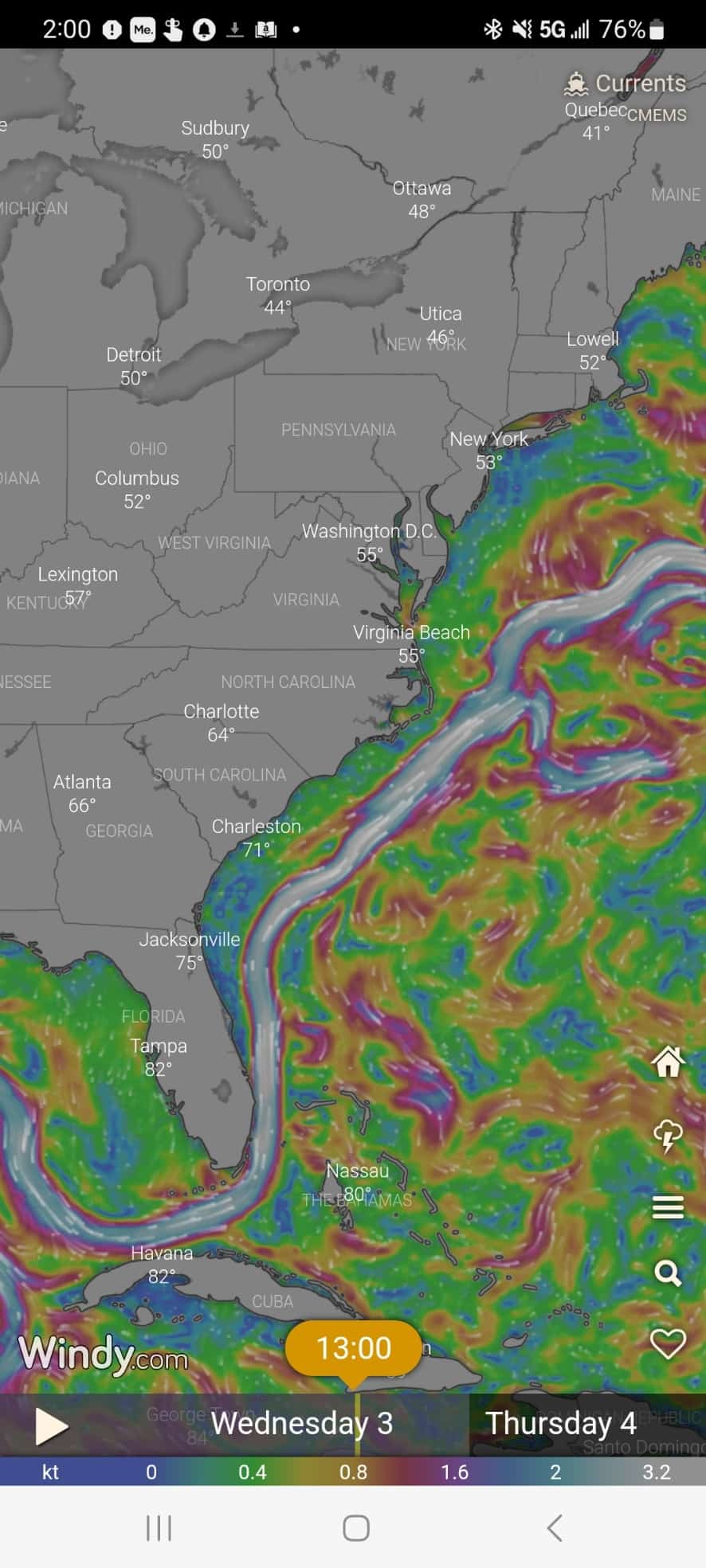
- Colors showing relative speed — brighter and whiter means faster
- Circular patterns indicating eddies spinning off the main flow
- Areas of opposing flow where counter-currents run against the prevailing direction
Tap anywhere on the map to drop a pin. Windy will show you the exact current speed and direction at that point. This is particularly useful when you want to compare conditions at your departure point versus your destination, or when you’re trying to find the edge of a strong current to route around it.
Zoom in and out to see both the big picture and the detail. The broad view shows you where major currents like the Gulf Stream are sitting today. Zooming in reveals the finer structure — where the fast water narrows, where eddies are forming, where the current drops off near the coast.
Currents Are Just One Part of the Picture
The currents layer tells you where the water is going and how fast. It doesn’t tell you everything.
Before any passage, also check:
- Wind direction and speed — and look at multiple forecast models, not just one. In Windy, tap the model names at the bottom of the screen to switch between them. Different models sometimes disagree significantly, especially beyond 48 hours.
- Wind versus current — this is the combination that matters most for sea state. When wind and current run in opposite directions, waves steepen and shorten dramatically. Even a moderate wind against a strong current can make conditions miserable or worse.
- Wave height and period — look at both numbers together. A wave height in feet that is close to the wave period in seconds means steep, breaking seas. You want the period in seconds to be at least double the wave height in feet before conditions start to feel manageable.
- Swell direction — if swell is coming from a different direction than the wind waves, expect confused, uncomfortable seas even if neither source looks bad on its own.
The Weather Basics for Boaters book covers how to read all of these details in the forecast tools you already use, including exactly why wind against current produces the conditions it does.
Windy Is a Forecast, Not a Guarantee
One thing worth keeping in mind: Windy’s currents layer shows modeled forecast data, not a direct real-time measurement at every point. It’s derived from ocean circulation models that are updated regularly and are generally very good, but they are models. Conditions can vary from what the forecast shows, particularly in complex coastal areas with strong tidal influence or near major current boundaries like the Gulf Stream edge.
Use it as a planning tool, not a guarantee. Check it the day before and again the morning you plan to leave. And always weigh it alongside your other sources, including local knowledge and professional weather services where the stakes are high.
For a deeper look at applying all of this specifically to a Gulf Stream crossing, the Gulf Stream map and current information article covers the real-time picture in detail.
More Useful Info for the Cruising Life
If you found this useful, I send a free newsletter every Wednesday to 22,000 cruisers and liveaboards — covering passage planning, boat systems, provisioning, and the real day-to-day of life aboard. Sign up here.


Carolyn Shearlock has lived aboard full-time for 17 years, splitting her time between a Tayana 37 monohull and a Gemini 105 catamaran. She’s cruised over 14,000 miles, from Pacific Mexico and Central America to Florida and the Bahamas, gaining firsthand experience with the joys and challenges of life on the water.
Through The Boat Galley, Carolyn has helped thousands of people explore, prepare for, and enjoy life afloat. She shares her expertise as an instructor at Cruisers University, in leading boating publications, and through her bestselling book, The Boat Galley Cookbook. She is passionate about helping others embark on their liveaboard journey—making life on the water simpler, safer, and more enjoyable.
Bill Underwood says
I’m a little confused by this article. The title is “Visualizing Currents with Windy App” but the screen shots and article references appear to be for the windy.com website. I am not aware of a way to view currents using the actual Windy app (at least using the iOS version), nor can I find any guidance on the windy.com website that provides information on how to view a current “map” using the app. Can you perhaps provide a little additional guidance as to whether your article is in reference to the windy.com website or the Windy app. Thanks for clarifying!
Carolyn Shearlock says
There are two Windy apps. One has a red icon with a stylized W in white, the other a blue icon that says Windy. You want the one with the red icon; the one with the blue icon does not show ocean currents.
The procedure in the “red” app is the same as on the Windy.com website for getting to the current map. The screenshots below are from an Android phone but the process is the same on my iPad and a friend’s iPhone.
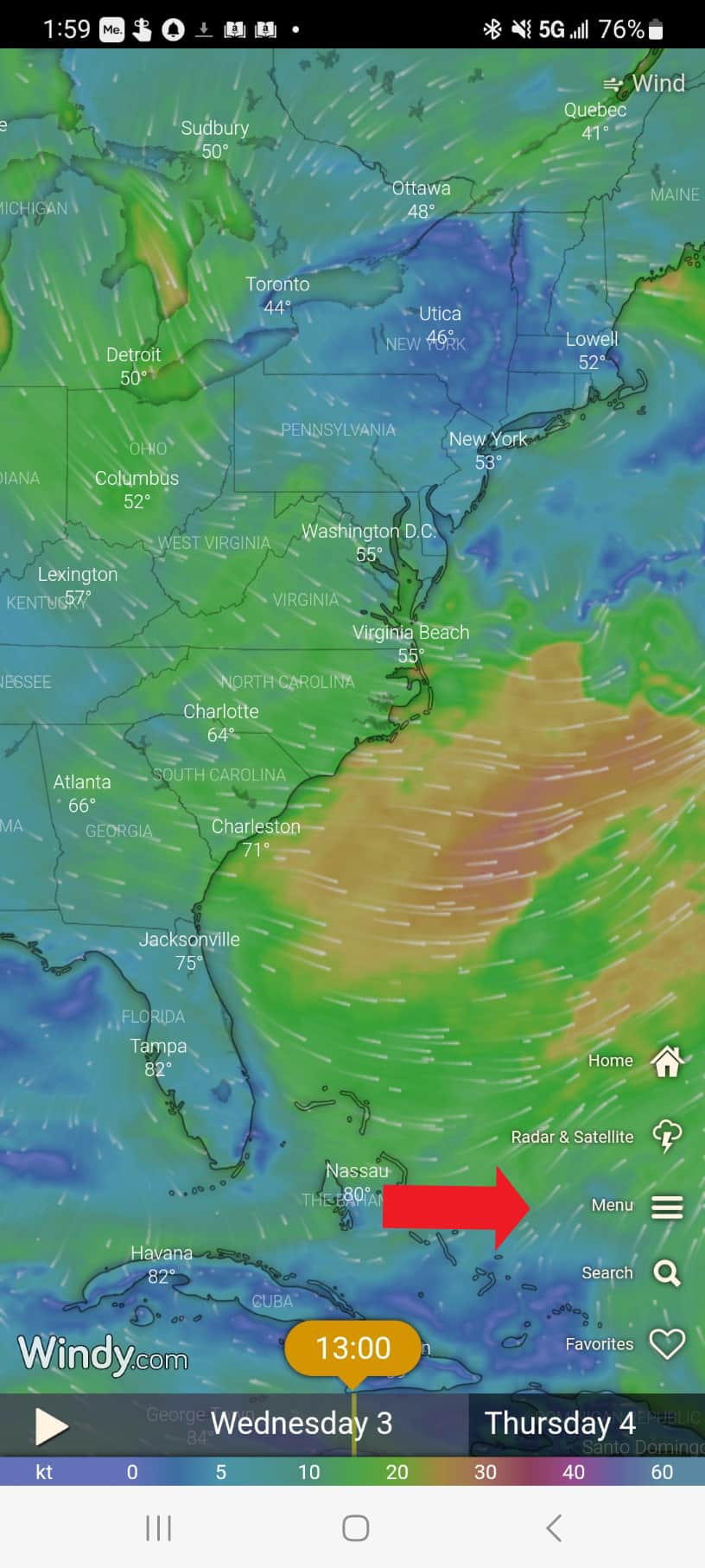
Once in the “red” Windy, click on Menu.
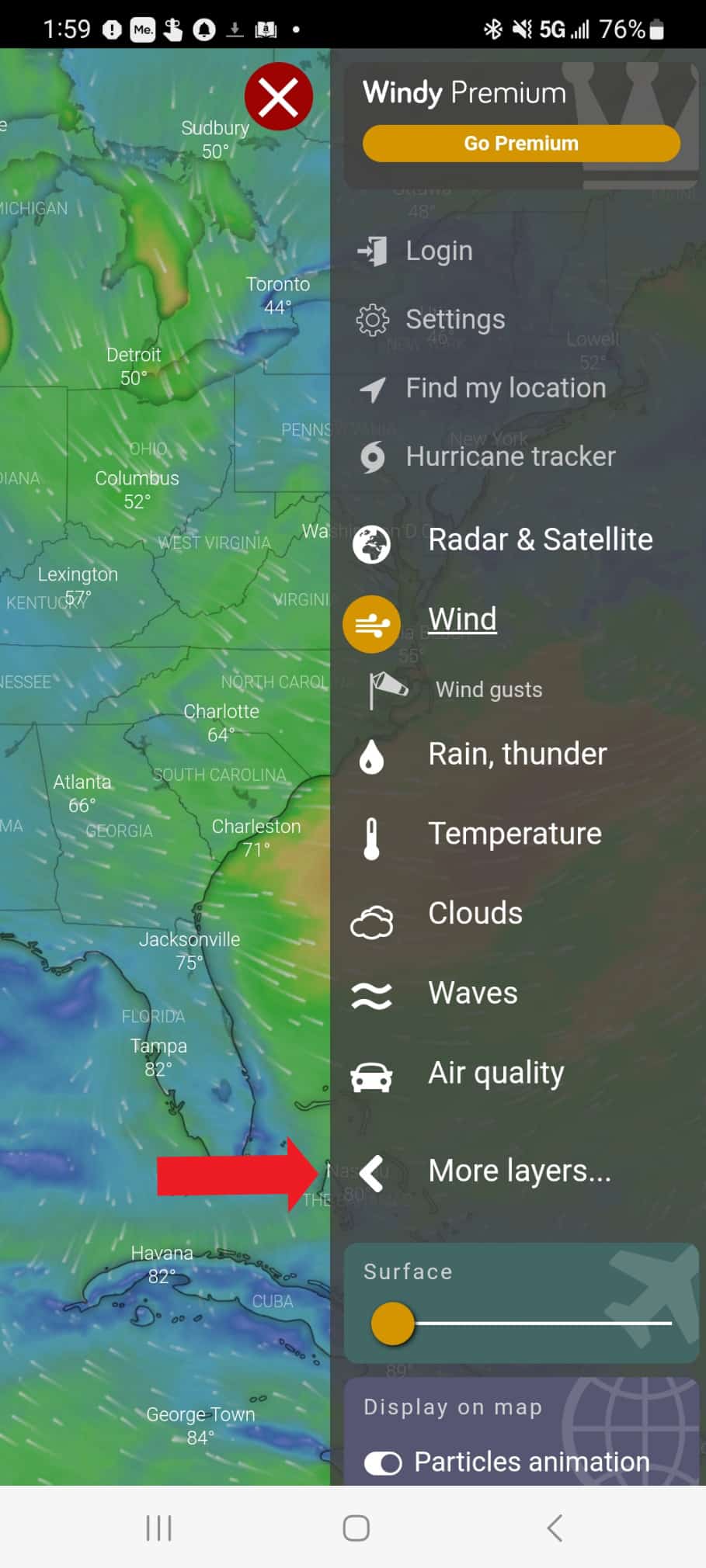
Then click on More Layers:
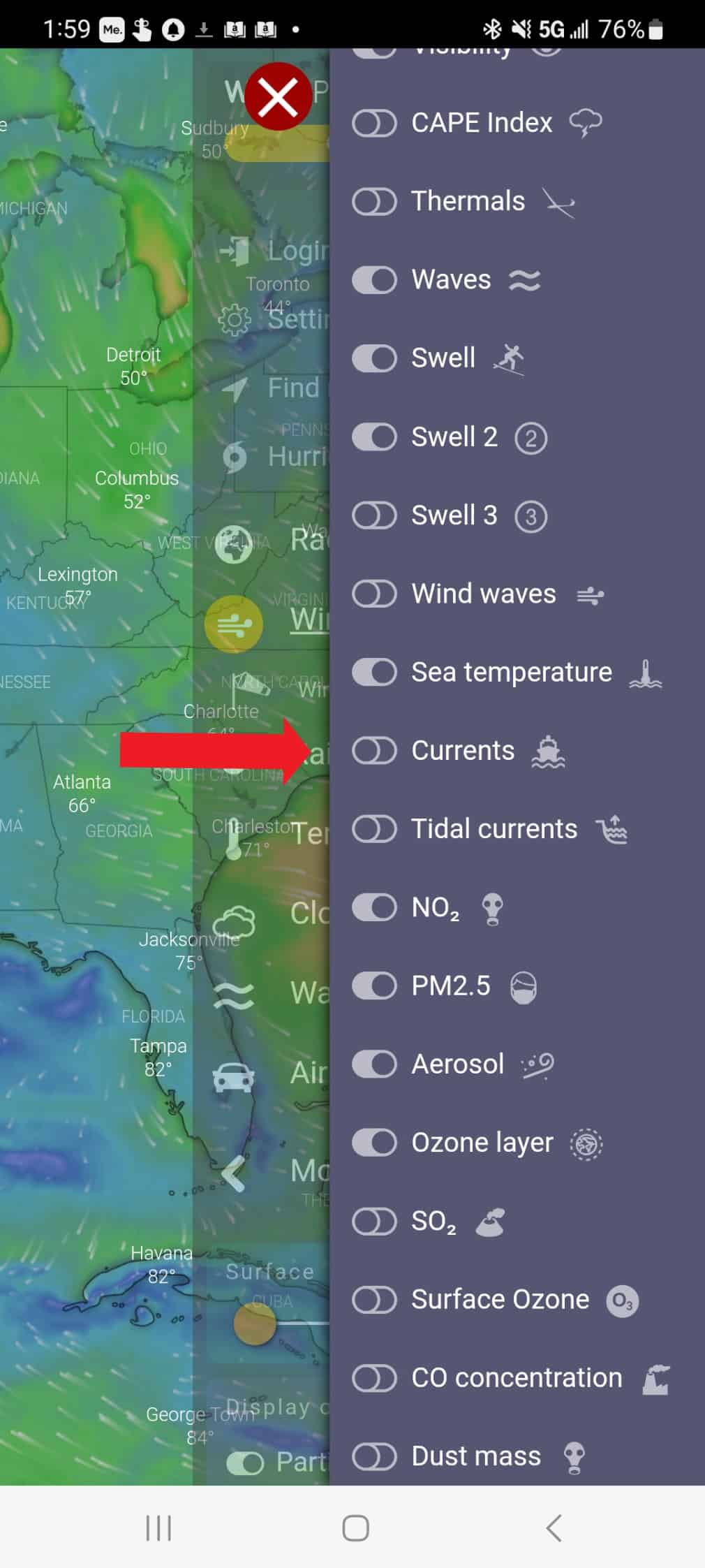
Then scroll WAY down and click Currents (not Tidal Currents):
And then you’ll see the currents: