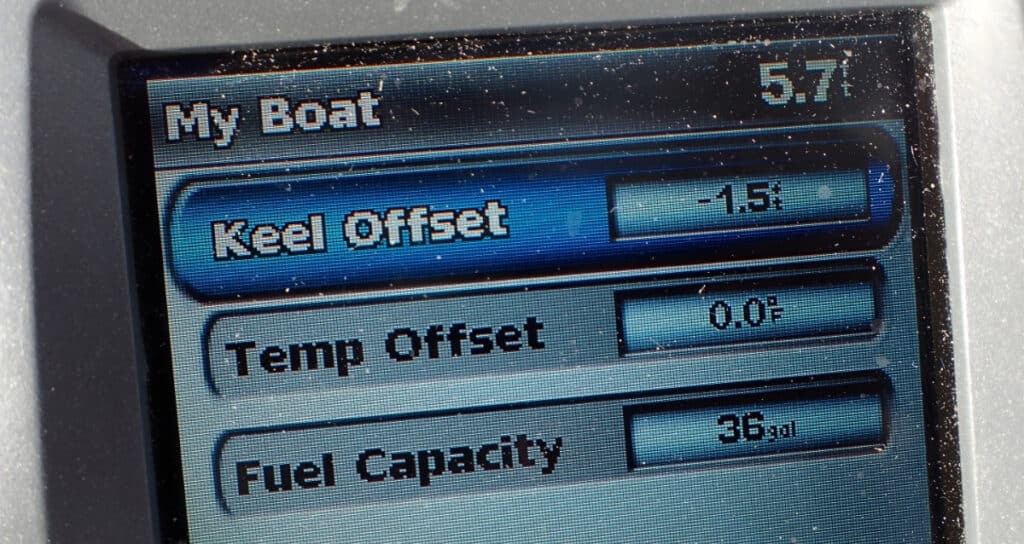
When you buy a new (or new-to-you) boat, you assume the instruments are set up correctly. Don’t. While your purchase surveyor will probably check that the instruments work, they won’t check that all the settings are correct. You want to know:
- whether your depth sounder display shows the depth from the waterline or from the bottom of the keel,
- if it’s set correctly to begin with, and
- how to set it properly so your display accurately shows the information you want to see.
Finally, you’ll need to communicate with crew and guests so no one gets confused or panicked by the readings. But let’s start by explaining some of the basics.
Two Different Ways of Setting Your Depth Sounder Display
Cruisers are an opinionated lot. Whether to set the depth sounder display to show total water depth or just the water under the keel is one example. Basically, do you want to know how deep the water you’re traveling through is or how much clearance you have until you touch bottom?
Boaters who prefer to know the water depth argue that their method simplifies anchoring. Take the depth shown on the display, multiply it by the scope you want to put out, and you’re set. If you want to know how much water you have under your keel, subtract your draft from the number shown on the display.
Boaters who prefer to show the depth under the keel argue that it’s the number more important to you throughout the day (when sailing shallow waters). Once you’re ready to anchor, add the keel measurement to the display number and multiply by your preferred scope.
There’s no right answer. It’s simply what makes the most sense to you. What’s important is that your depth sounder display accurately shows the measurement you want to know and that everyone onboard understands what it means.
Measurements to Help You Set Your Depth Sounder
To properly program your preferred offset, you’ll need some basic measurements:
- the distance from the transducer location to the waterline (the transducer offset)
- the distance from the waterline to the bottom of your keel (the draft – this information is supplied in your user’s manual)
These basic measurements will help you set up your depth sounder display.
Setting the Proper Offset
The offset you program will be either positive or negative, depending on your preferred display.
Total Water Depth = (+) Offset
If you want your depth sounder to show the total water depth, you’ll need a positive (+) offset. You get this by adding the transducer offset (the distance from the waterline to the transducer location) to the water depth. For example, if your depth sounder display shows a seven-foot depth and the distance from the waterline to your transducer is two feet, add the numbers. Use the instructions in your owner’s manual to set your display to show nine feet.
Depth Under the Keel = (-) Offset
Do you prefer to know how much water you have under your keel? You’ll need to program a negative (-) offset. If the transducer shows seven feet of depth, subtract your draft. If your boat draws five feet, you want to program the display to show two feet. Again, your owner’s manual will show you how to set your display.
Hopefully, this simple explanation will help you set up your depth sounder display properly. We learned the hard way that a boat’s previous owner might not know how to do this themselves. Keep reading to learn from our example and avoid a comparable problem on your own boat.
Our Mysterious Depth Sounder Readers
We didn’t think to check the settings on Barefoot Gal after we bought her. She had two depth sounders, one in each hull. They always showed a foot and a half difference in the water depth. Okay, we thought, we know that we drew one point five feet with centerboard, rudders, and drive leg up, so one shows depth under the hull and the other shows total water depth. The prior owner even said so.
It wasn’t until our fourth day out in her that we began to suspect something was off.
I was at the helm, motoring into Factory Bay on Marco Island. The charts showed plenty of water where we were. Also, the chart depths showed low tide depths, and it was now mid-tide. But the depth sounder alarm was going off: four feet (okay, I need less than two feet under the keel for the prop to be clear . . . ), three feet (getting a little tense), two feet (YIKES!) . . . but looking astern, we weren’t kicking up any mud. I put the engine in neutral, and we coasted forward. One foot . . . zero feet . . . negative one (I never knew a depth sounder could show negative depth . . . ). Obviously, we weren’t aground or even pushing through soft mud.
As the depths suddenly started showing numbers closer to the charted depths, we wrote the episode off as an electronic blip. On our previous boat, we’d sometimes had erroneous readings due to thermoclines (layers of water at different temperatures) and figured that something like that had happened again.
Six months later, in a totally different anchorage, we again had funny depth soundings. Like before, the depth sounders were showing scary-shallow numbers in an area that should have had six feet of water. We bailed out of that anchorage and went to a nearby one with deeper water.
After we anchored, I looked more closely at the chart depths, the tide tables, the depth sounder readings, and eventually the “settings” on the depth sounder.
A Problem With Offsets
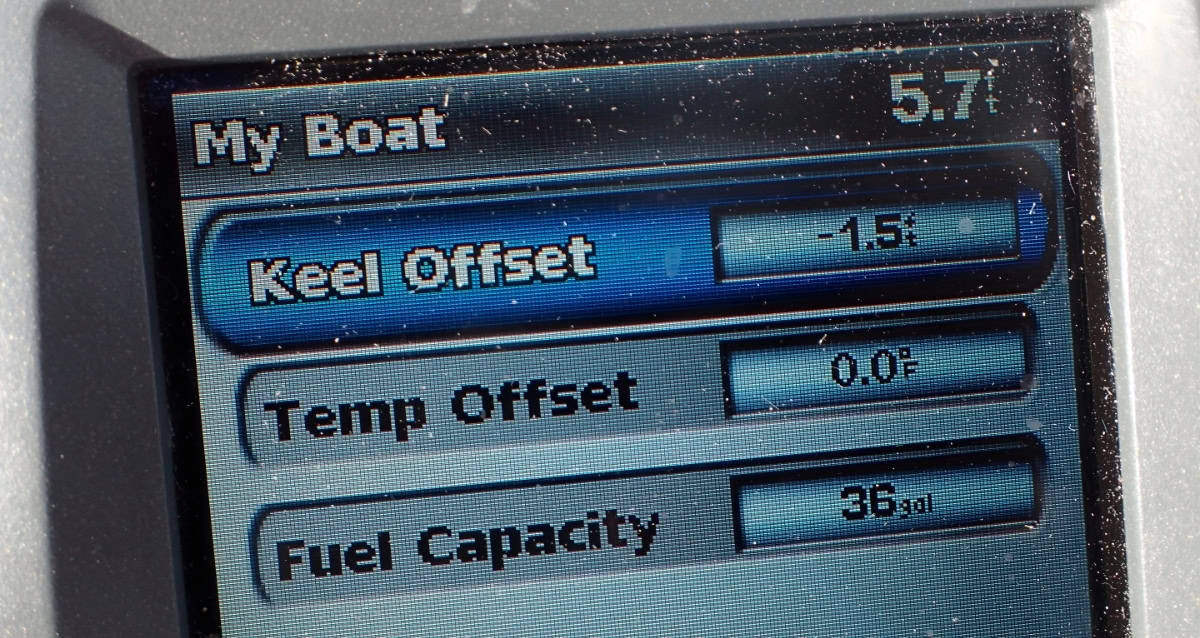
Suddenly, a lightbulb went on. Both depth sounders were in the bottoms of the hulls. But the one that showed the shallow depths – which I assumed was the water under the hull – had a keel offset set. If it was truly the reading from where the depth sounder sat (i.e., depth under the hull), it shouldn’t have a keel offset.
Someone had thought they were setting the keel offset to show true water depth, but had set it the wrong way. Remember above where we talked about how you can set a positive or negative offset depending on whether you want to measure the water under the keel or total depth? Well, the previous owner got it backwards. Instead of giving a reading that was one and a half feet more than the depth where the depth sounder was, it showed one and a half feet less.
Double Checking the Problem
I got out the owner’s manual and read about keel offsets and was 99.9% certain I’d figured out the problem. But before changing anything, we decided to check the water depth the old-school way.
We didn’t have a lead line, so Dave tied a wrench to a line (if you do this, be sure to rinse the wrench well with fresh water afterwards). I thought the true water depth was a little less than six feet, so we marked the line at six feet. Dave lowered the line until the wrench lay on the bottom . . . the mark on the line was about four inches above the water. I was right!
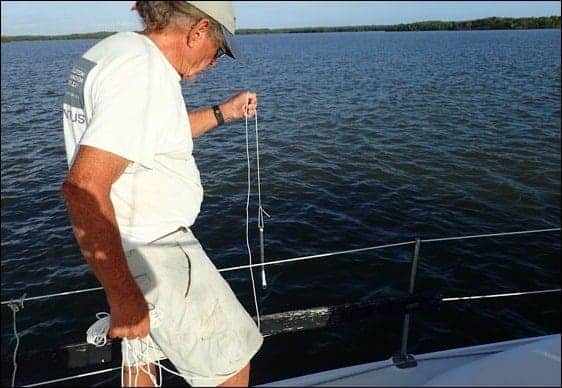
And with that, it was a simple matter to correct the settings with the directions in the owner’s manual. And yes, we checked it a few more times in other anchorages to make sure it was now giving good information.
We were lucky. Yes, the depth sounder had been set up incorrectly. But it was reading shallow. Had it been set so that it read deeper than the actual depth (depending on depth sounder location — particularly in monohulls — this is a definite possibility although it wasn’t in our case), we could easily have gone aground.
Bottom line: when you get a new boat – or have a new depth sounder installed – check the depth on the depth sounder against the measured depth. Don’t trust that a previous owner or installer set it up correctly!
Other Important Tips for Depth Sounders
This is just one way things can go wrong with a depth sounder. Remember the following.
Your Depth Sounder is Not a Substitute for Following Charts
Modern boat tech is great, and it’s getting better all the time. But we figured out something was wrong with our depth sounder because we were following the charts. The information we were getting didn’t agree with the depths we expected.
Your Depth Sounder Doesn’t Take the Place of Your Eyes
There are newer depth sounders that can “look forward” for determining depths. But the depth sounders most cruisers have today, particularly on older boats, only measure the water under the transducer.
If you’re sailing in shallow waters with coral or rocky bottoms, there’s no substitute for having someone on the bow (preferably higher than the boat deck) giving a look out. And one last piece of wisdom.
Let Others Know What Your Depth Sounder Display Shows
You may also want to put a label near the depth sounder stating what it’s showing: true water depth, depth at the depth sounder, or depth under the keel. That way, should anyone else ever be helping you or moving the boat in an emergency, they’ll know what the reading means.
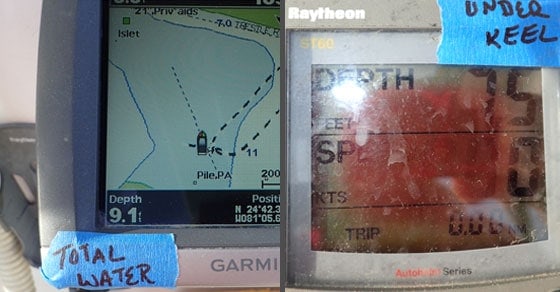
Practical Advice in Plain Language
It would have been nice if our boat’s previous owner had set up the depth sounder correctly from the beginning. It certainly would have saved me some moments of panic and problem-solving.
The truth is that whether you’re a new cruiser or a seasoned veteran, strange situations can come up. It’s why I like providing plain-language tips, sharing the kind of information I would have preferred to learn by reading, instead of experiencing it on the water. Each week, I share helpful, actionable advice in The Boat Galley newsletter. Subscribe today so you don’t miss out.

Carolyn Shearlock has lived aboard full-time for 17 years, splitting her time between a Tayana 37 monohull and a Gemini 105 catamaran. She’s cruised over 14,000 miles, from Pacific Mexico and Central America to Florida and the Bahamas, gaining firsthand experience with the joys and challenges of life on the water.
Through The Boat Galley, Carolyn has helped thousands of people explore, prepare for, and enjoy life afloat. She shares her expertise as an instructor at Cruisers University, in leading boating publications, and through her bestselling book, The Boat Galley Cookbook. She is passionate about helping others embark on their liveaboard journey—making life on the water simpler, safer, and more enjoyable.
The Boat Galley says
Thanks!